Your Week of Social Media — Done in 5 Minutes
The social media scheduling tool that writes your posts. Answer two short questions and get seven posts with images, published to Facebook, Instagram, and your Google Business Profile, with LinkedIn coming soon.
Start Free Trial — No Credit Card7 days free. Cancel anytime. No credit card required.
This week’s posts
- MondayScheduled
- TuesdayScheduled
- WednesdayScheduled
- ThursdayScheduled
- FridayScheduled
- SaturdayScheduled
- SundayScheduled
What UniqueMe actually does
Not a calendar you have to feed — a week of posts that already exists by the time you sit down to look at it.
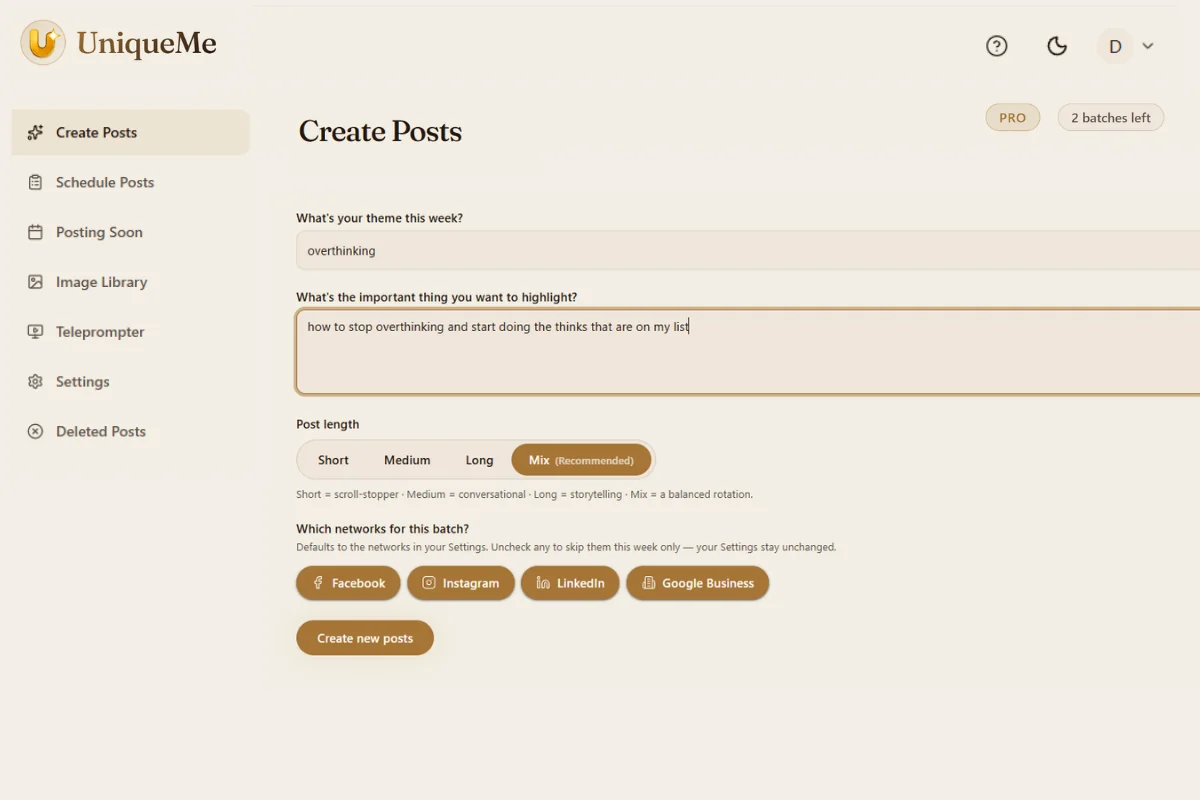
The posts come first
Most scheduling tools give you a calendar and wait for you to fill it. UniqueMe writes the posts before you open the calendar.
Your brand, once
A short questionnaire plus your website. The app builds your brand profile from both and never asks you to explain yourself again.
Two questions a week
What is this week about, and what is the one thing you want people to take away. Thirty seconds. That drives the whole week.
Ready when you open it
Seven posts with images, already on a schedule. Read through, change anything you want, or publish everything as it came.
Three steps
How it works
From “what should I post?” to a full week scheduled — without you touching it again.
Tell us about your business
A few quick questions about who you are, what you sell, and the voice you want to use. We read your website while you answer, so we already know your services, your colours and roughly how you sound before you finish. Two minutes, once. You never describe your own brand in marketing language again.
Write your weekly theme
Write your theme — one topic for all seven posts. Then describe it in more detail: one specific detail, offer, or story that's yours alone. Those two lines are what stop the posts sounding like every other business in town, and they take about thirty seconds.
We handle the rest
Seven posts, written and illustrated to your brand, then automatic social media posting to Facebook, Instagram, and your Google Business Profile at the times you set. Review them, change any wording, swap in your own photo — or do nothing and let them go out.
How the posts are written
The part that matters is not the AI. It is what the AI is given to work with.
Brand-first, every time
A general writing tool knows nothing about you. UniqueMe starts from your brand profile on every post, so nothing it writes could belong to anyone else.
Seven posts, seven shapes
Some are short enough to stop a scroll. Some tell a small story. The week varies in length and register so it does not read as one sentence repeated seven times.
Every post, its own image
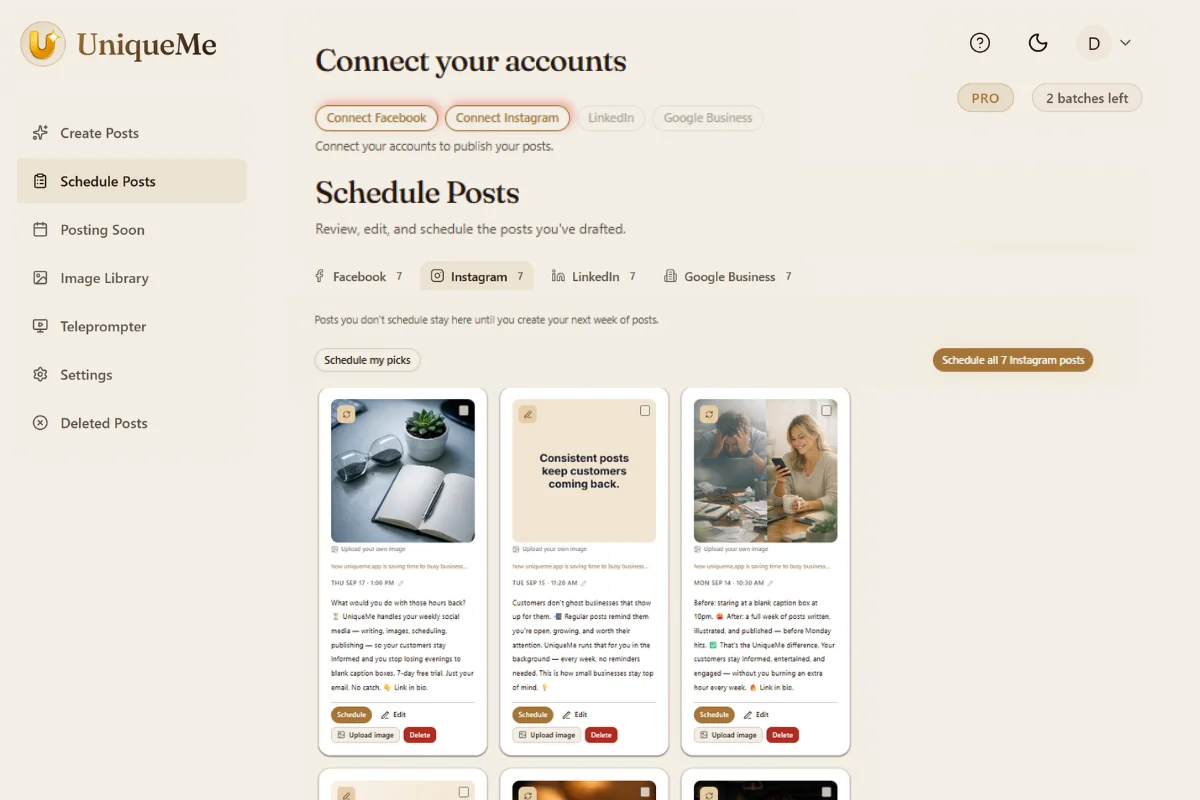
Five photographs, each framed differently, plus two text-graphic posts in your brand colours — the kind that often outperform photos when the point is the sentence.
Nothing final until you say so
Rewrite a caption, regenerate an image you do not like, or upload your own photo. The app is a first draft, not a machine that publishes over your head.
Four networks, one week of work
You answer once. Each network gets a version written for the way people read it there.
Posts publish straight to your Facebook Page with the image attached. You connect the Page once and the app keeps posting to it every week. Nothing is published to your personal profile, and nothing goes out that you have not scheduled. If you have more than one Page, you choose which one at the start and can change it later.
Your Instagram Business account receives the same week of posts, with images sized for the feed rather than cropped from something else. Captions are rewritten for Instagram rather than pasted across from Facebook, because the two audiences read differently. Hashtags are chosen for the post, not pulled from a saved block you stopped looking at months ago.
The same week again, in a register that suits LinkedIn. Longer, plainer, less decorated. If you sell a service to other businesses, this is usually the network that earns you the enquiry, and it is the one most owners abandon first because writing for it feels like work. It is not more work here than anywhere else.
Google Business Profile
The one people forget. A profile that posts regularly looks open and looked after to anyone searching for you nearby, and a profile that has not been touched in eight months looks like a business that might have closed. UniqueMe publishes to it on the same schedule as everything else, so your profile stops going quiet between visits.
What the first week looks like
From signing up to a full week scheduled — the whole thing, start to finish.
Sign up, no card
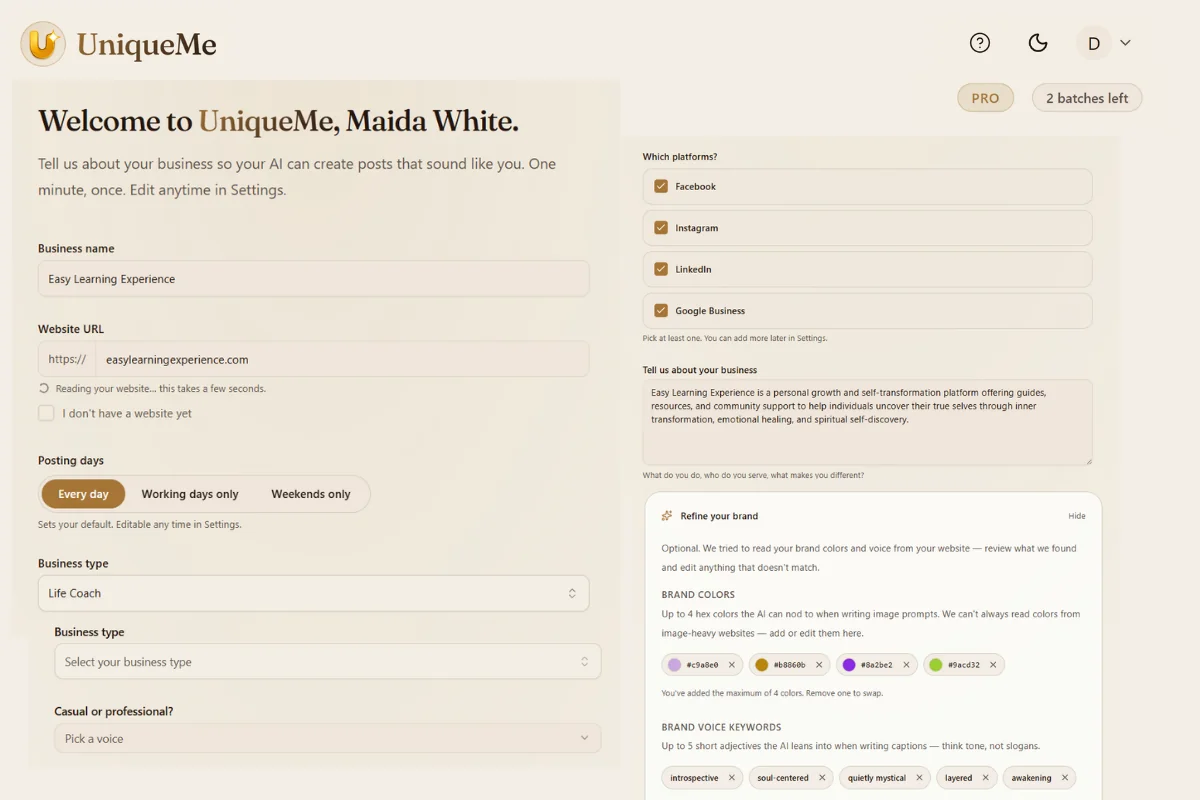
Email address only. The app starts reading your website in the background while you answer the brand questions.
Brand profile in two minutes
A draft of your business description is already written from your website by the time you reach that screen. Use it or write your own.
Two questions, seven posts
Answer the weekly prompts. A minute or two later you are looking at the week laid out — every post with its image, network, and publishing time.
Connect, schedule, done
Change a posting time, swap an image, edit a line. Or schedule everything as it came and close the tab. Every week after that is only the two questions.
A social media scheduling tool for small business owners
Not for agencies, marketing teams, creators or developers. For the owner who does everything else first.
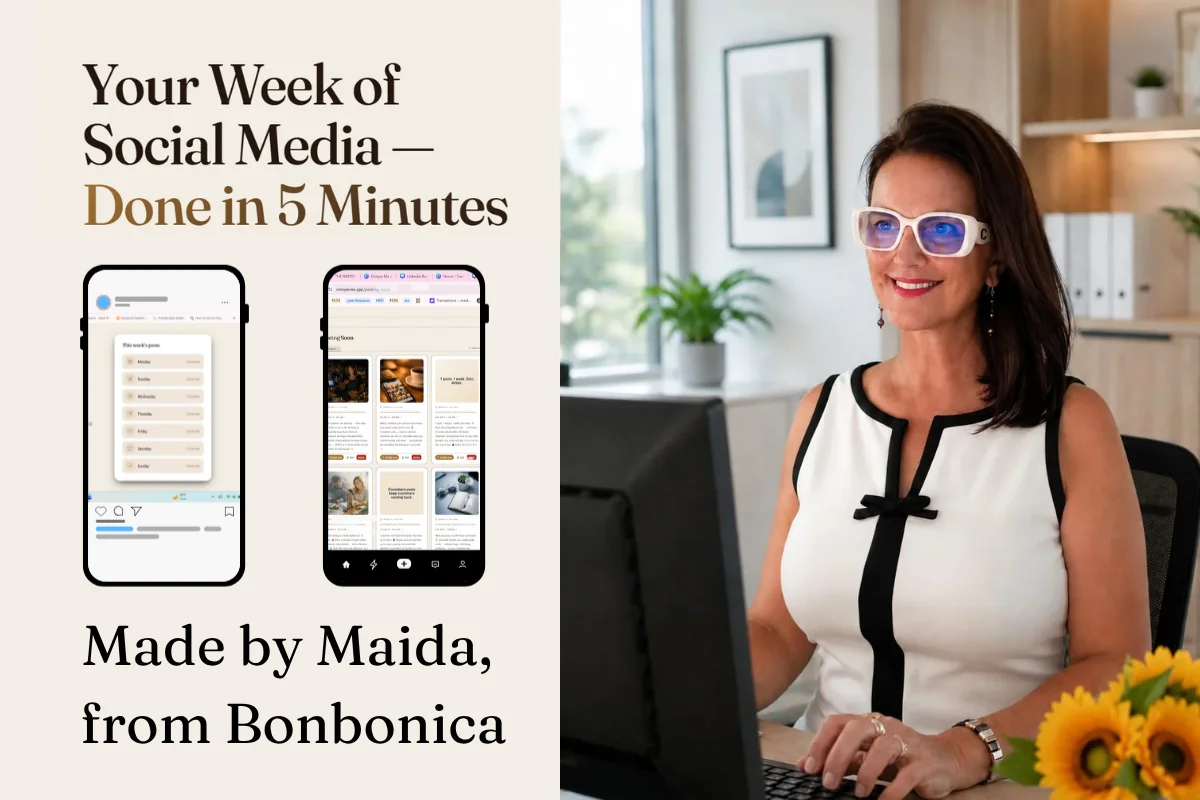
Built for the busiest owner
The dental practice, the salon that closes at six, the shop where the owner is also the buyer and the bookkeeper. People who know they should be posting and are not.
Two questions a week, nothing more
That is the whole weekly commitment. If this app ever needs more time than that from you, it has failed at the thing it was built to do.
No contracts, no setup fees
Cancel from inside the app in two clicks at any point. Keep access until the period you paid for ends. Nothing is designed to make leaving awkward.
How this differs from Buffer, Hootsuite and the rest
Good tools for different problems. The distinction is worth understanding before you pick one.
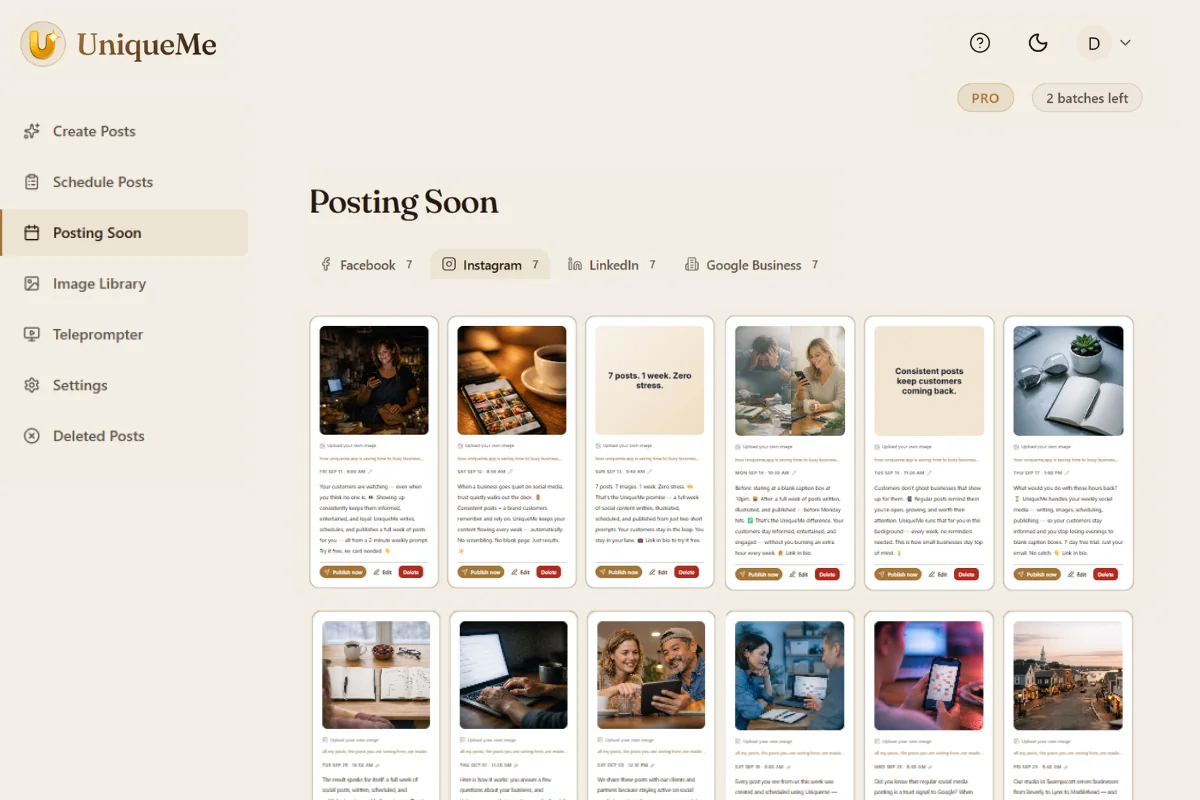
A queue without posts is still empty
Buffer, Hootsuite and the rest are good at what they do — timing the posts you wrote. The hard part was never the timing. It was having something to say.
We fill the calendar, then schedule it
By the time you open the app, a full week already exists. If you have a content person and a backlog of drafts, one of the tools above will suit you better.
Built by one person, for owners like you
Not for agencies, teams or developers. No multi-client workspaces, no approval chains, no API. If you manage social for ten clients, the tools further up the market will serve you better — and honestly so.
See what it costs below, or read the full pricing page.
Pricing
Built for small businesses.
Start free. No credit card. Cancel any time from your dashboard.
Free trial
Try everything, free for 7 days
- Everything in Pro, free for 7 days
- One full week of posts
- All connected networks
- No card, no charge, nothing to cancel
Starter
One week of posts, every week
- 4 batches per 30-day period
- Two networks of your choice
- AI images with every post
- Automatic scheduling and publishing
- Your brand voice and colours
Pro
One week of posts, every week — on every network
- Everything in Starter, plus:
- Facebook, Instagram & Google Business Profile
- Choose post length each week — short, medium or long
- Regenerate any image you don't like
What it doesn’t do yet
Video posts are coming, not here. You can film and publish video yourself, and the app includes a teleprompter with the scroll speed and text size set by you, but it will not schedule video for you.
One week at a time. Both paid plans give you a fresh week every week. You cannot batch a whole month in one sitting.
No TikTok, X or Pinterest. We publish to Facebook, Instagram, and Google Business Profile. TikTok, X and Pinterest are not on the roadmap.
LinkedIn is coming. It is awaiting platform approval and will be available as soon as that clears.
The questions people ask before they try it
Will every post look the same?
Your colours stay the same, the way your shopfront does. The images change with every post — different scenes, different light, framed differently from each other. On Pro you can regenerate any image you don't like, and on either plan you can upload your own photo instead.
Is it going to be too complicated for me?
There is nothing to install and nothing to configure. If Meta's tools lost you, that is not a reflection on you. They are built for people who do this full time. This is built for people who do not, and the whole weekly commitment is two short answers.
What if I get busy and go quiet for a week?
The posts go out whether or not you are thinking about them. The only week you miss is a week you chose to skip. If you forget to set a new theme, nothing embarrassing happens — the scheduled posts simply finish and the app waits for you.
How long does it actually take each week?
Two prompts, about thirty seconds. Reviewing the seven posts takes a few minutes if you want to read them, and nothing at all if you trust them. The first week takes five minutes because you answer the brand questions once.
Do the posts sound like a robot wrote them?
They sound like whoever answered the brand questionnaire. The app reads your website for your services and tone, then writes from your weekly answers. If a post is not right, edit it before it goes out — most people edit less after the first fortnight.
Can I edit a post before it publishes?
Yes. Every post can be edited, rescheduled, or deleted before it goes out, and you can move the posting time. You can swap the image or upload your own while you are scheduling. Nothing publishes that you have not scheduled yourself.
What happens to posts I don't schedule?
They stay in Schedule Posts until you create your next week, and you can delete any of them yourself at any time. When you generate a new week, the ones you did not schedule move to Deleted Posts, where they stay for 30 days before they are removed.
Is there a free plan?
There is a seven-day free trial with no card required, which is a full week of Pro. There is no permanent free tier. If you do nothing when the trial ends, nothing happens and nothing is charged.
Is it a social media scheduling app or does it write the posts too?
Both. Most scheduling apps give you an empty calendar and better tools for filling it. This one fills it, then schedules what it wrote. You can still write your own post and schedule that instead whenever you want to.
Do I need a Facebook Page, or will my personal profile do?
You need a Facebook Page. That is Meta's rule rather than ours — their tools only allow posting to Pages. It is free to set up and takes a few minutes if you do not have one yet. For Instagram, a Business or Creator account is required.
What happens to my posts if I cancel?
Anything already scheduled still goes out through the period you have paid for. Once a post is published, it lives on your own accounts and it is yours. If you delete your account, your posts, images and connected accounts are removed, as described in our privacy policy.
Who is behind this

I’m Maida White. I run a digital marketing business in Swampscott, Massachusetts, and I built UniqueMe.
I spent years doing this work by hand for businesses that could afford to pay someone every month. Most owners I meet locally cannot, and they do not want to spend a month learning AI to solve it either. So I built the thing I had been doing manually.
You can cancel from your dashboard in two clicks, delete your account entirely whenever you like, and download your image library anytime before you go. What we do with your data is written plainly in the privacy policy. If something breaks, you are emailing a real person in a real town.
Stop wondering what to post.
Your first week takes five minutes. The rest happens on its own. Seven days free, and no card to cancel.
Begin your free week